My Lil VJ
// a desktop VJ deck. pick a visual, feed it your audio, and project it: at a gig, on a stream, or on your wall.
deck.visuals = 70 // no subscription, no account
Founder beta
50 founders get a free lifetime Lite key while My Lil VJ is in beta. All I ask back is honest feedback and a short clip of you using it.
- Comment or DM FOUNDER to @mylilvj on Instagram, or email arik@adevelopment.dev with FOUNDER as the subject.
- Send your name and email. Your key carries them, and they show inside the app.
- Your key and the download link come back to you in a DM or email.
Windows 10/11 only, no Mac yet. Lite is the shader deck: the 70 built-in visuals, queue and playlists, crossfade, the Layer B overlay, the tablet remote, the production output window and the OBS browser source. The video deck, audio reactivity, FX, MIDI and live camera are Pro features, and projection mapping and Live AI are Studio; none of them are part of the founder key. Founder keys only come from @mylilvj or arik@adevelopment.dev, and I never ask for money or logins.
The manual, in nine videos
- Meet the deck
- Output and OBS
- Your phone is the remote
- The video deck
- Audio reactivity
- FX and post-FX
- The console and hotkeys
- MIDI control
- Live AI
All of them on youtube.com/@mylilvj.
Pricing
Every tier is a one-time purchase with free updates within 2.x, and every tier drives the deck from a phone or tablet on the same wifi. Checkout opens with all three options — pick the one you want there.
Try Studio free for 14 days — every Studio feature, no card. Install the app and click Start 14-day trial on the first screen.
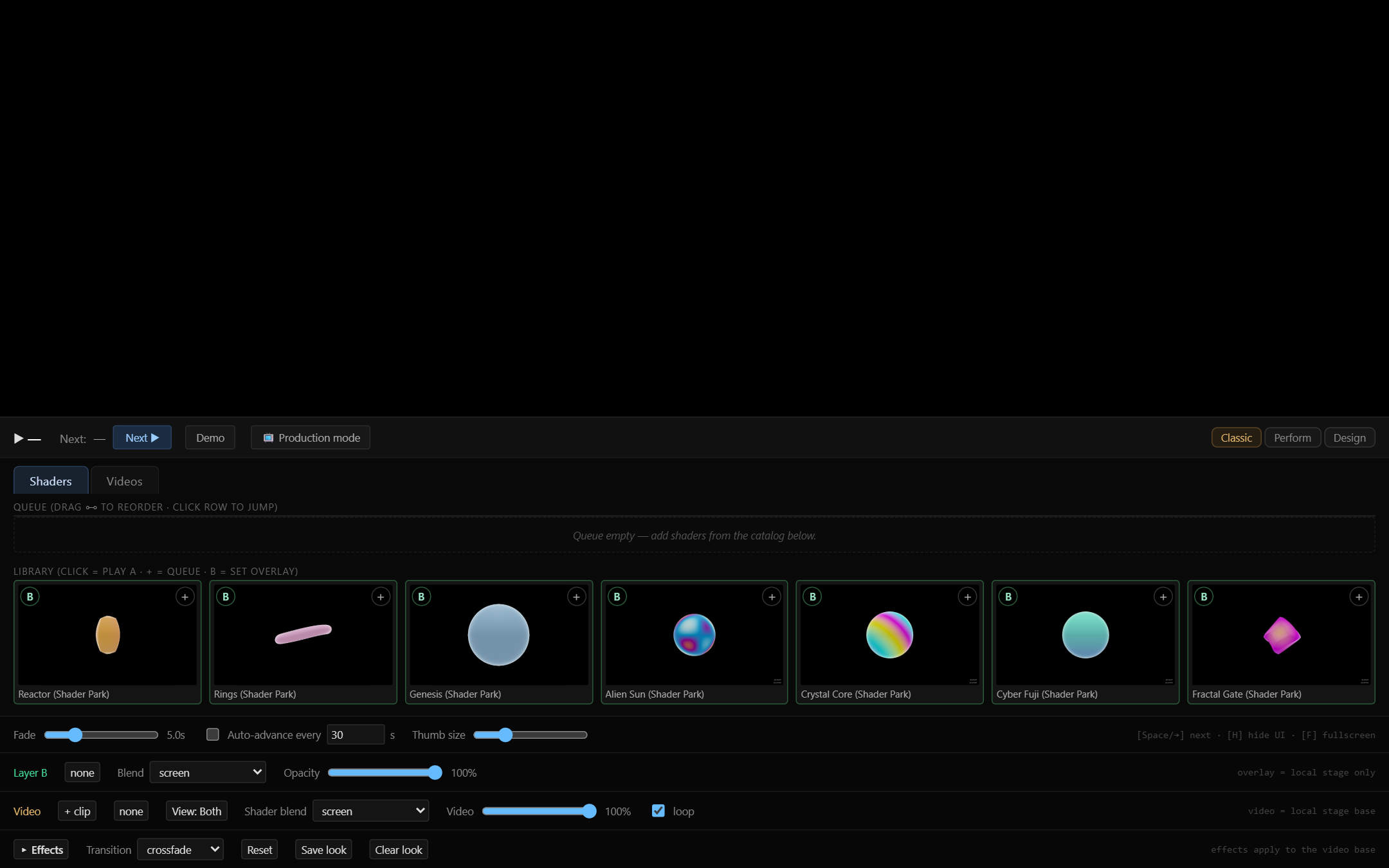
- 70 built-in visuals across 9 kinds — 11 of them ASCII
- Queue, playlists, crossfade, Layer B overlay
- Tablet remote over your wifi
- Production output window for a projector
- OBS browser source
- Video deck — your own clips under the shaders
- Audio reactivity from video audio or mic
- Video FX rig with LFO animation
- GLSL post-FX chain
- MIDI control with learn and LED feedback
- Live camera source — webcam, USB capture, HDMI capture
- Projection mapping — corner-pin onto a wall or set piece
- Per-layer corners, polygon masks and soft edges
- Alignment grid for calibration
- Live AI layer driven by typed prompts
// locked panels stay visible in the app with a badge, so you can see what an upgrade adds before you pay for it. Upgrading is just entering a new key — no reinstall — and what you already paid comes off: every Lite order includes a $59 code toward Pro or Studio, every Pro order a $149 code toward Studio. One use each; tax applies to the remainder.
What each tier buys
| Feature | Lite | Pro | Studio |
|---|---|---|---|
| 70 built-in visuals | Yes | Yes | Yes |
| Tablet remote | Yes | Yes | Yes |
| Production output window | Yes | Yes | Yes |
| Video deck (your own clips) | — | Yes | Yes |
| Audio reactivity | — | Yes | Yes |
| Video FX rig and post-FX chain | — | Yes | Yes |
| MIDI control | — | Yes | Yes |
| Live camera source | — | Yes | Yes |
| Projection mapping | — | — | Yes |
| Live AI layer | — | — | Yes |
Under the hood
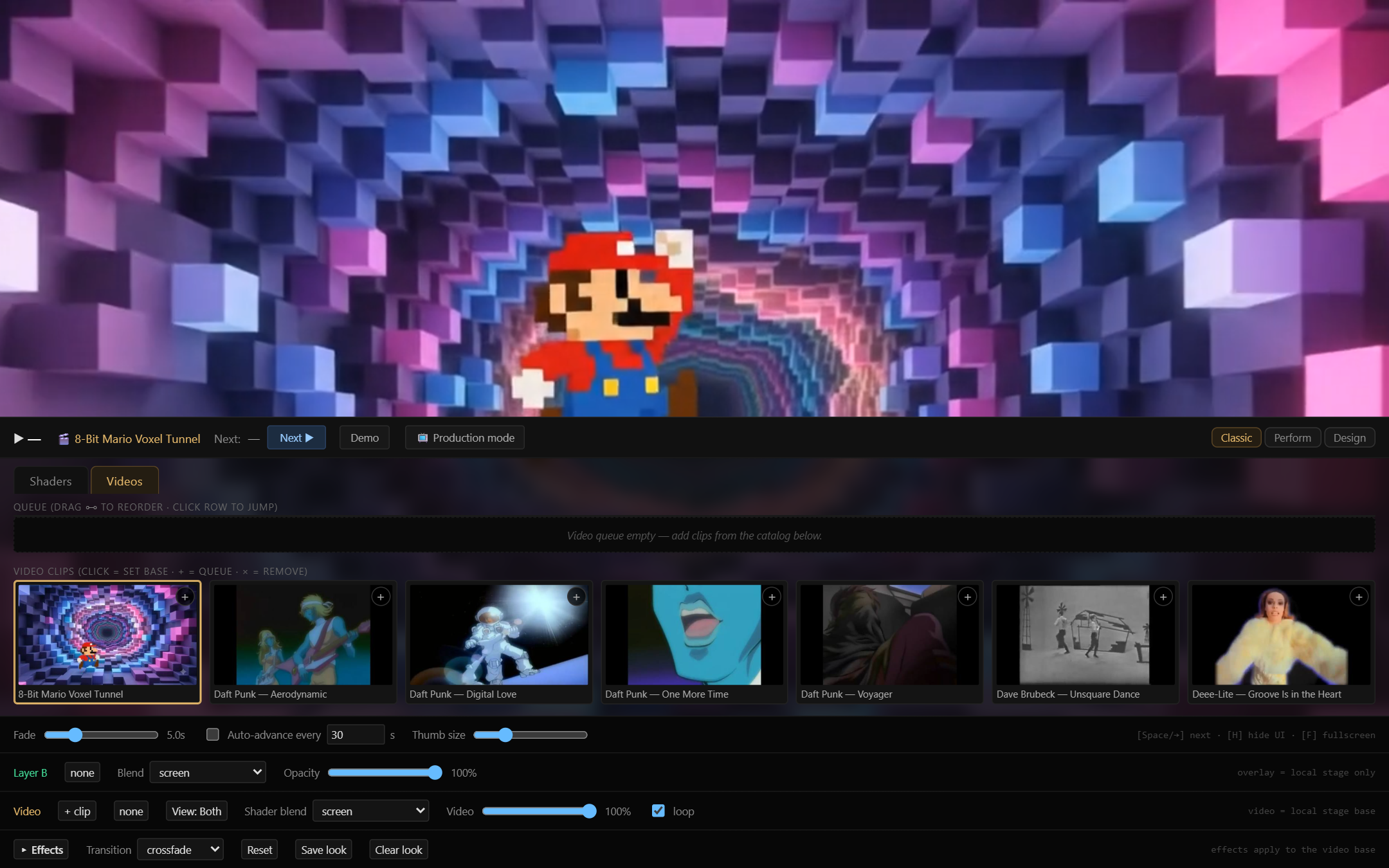
my-lil-vj is a VJ deck that runs entirely in the browser layer of a desktop app and plays light the way a synth plays sound. Point it at audio and it watches the music — detecting beats and energy — then drives a library of shaders and video layers that move with the track.
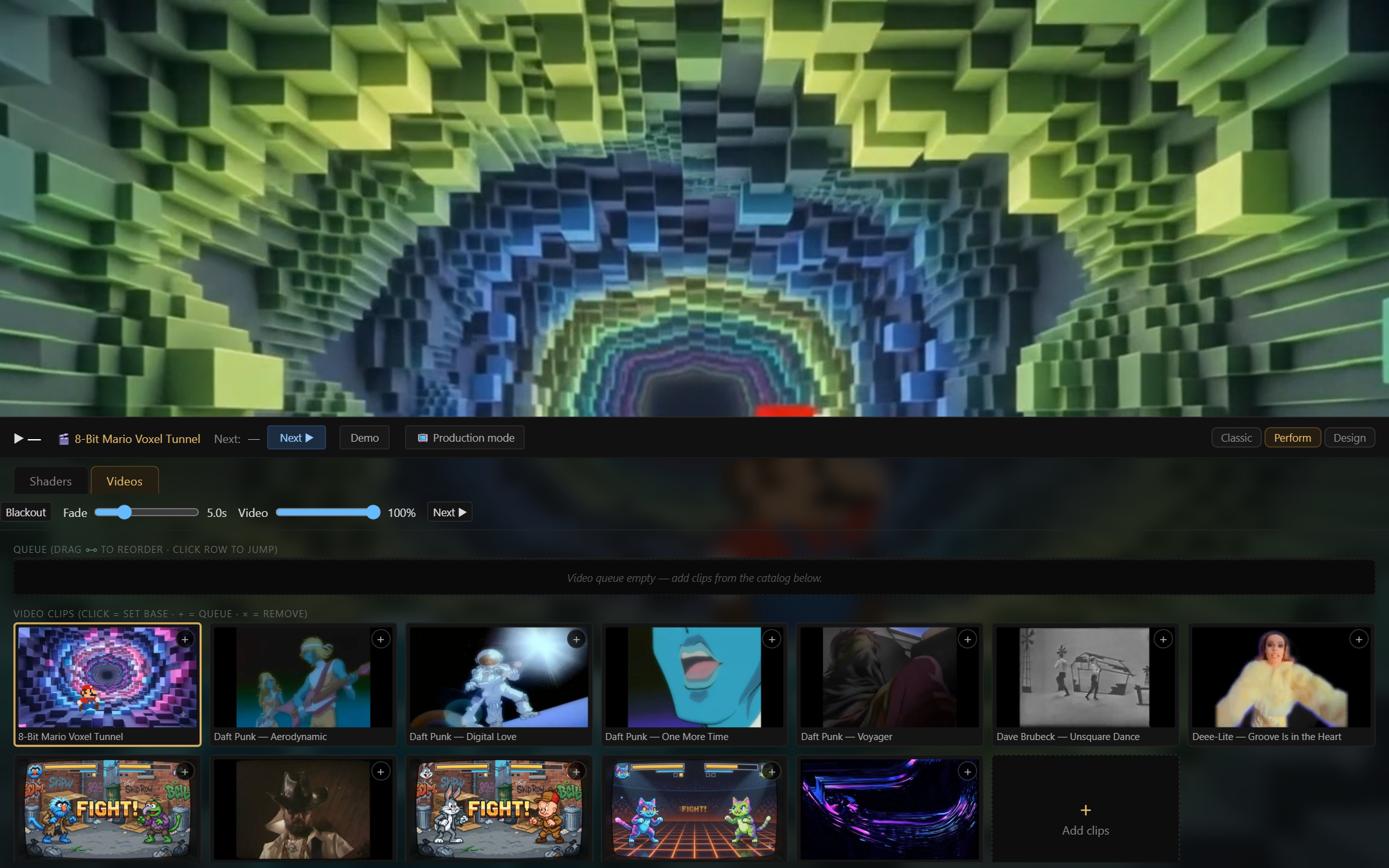
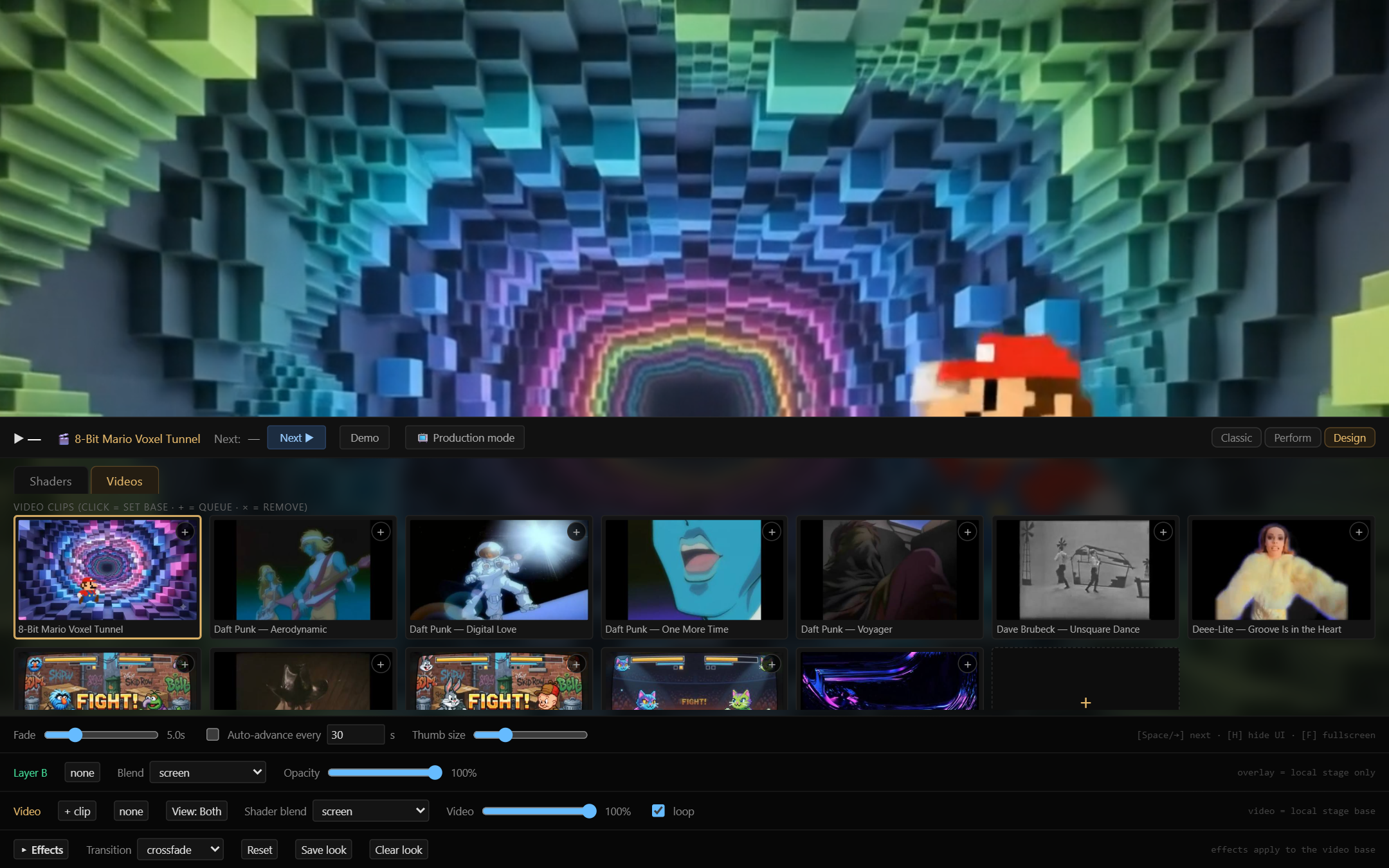
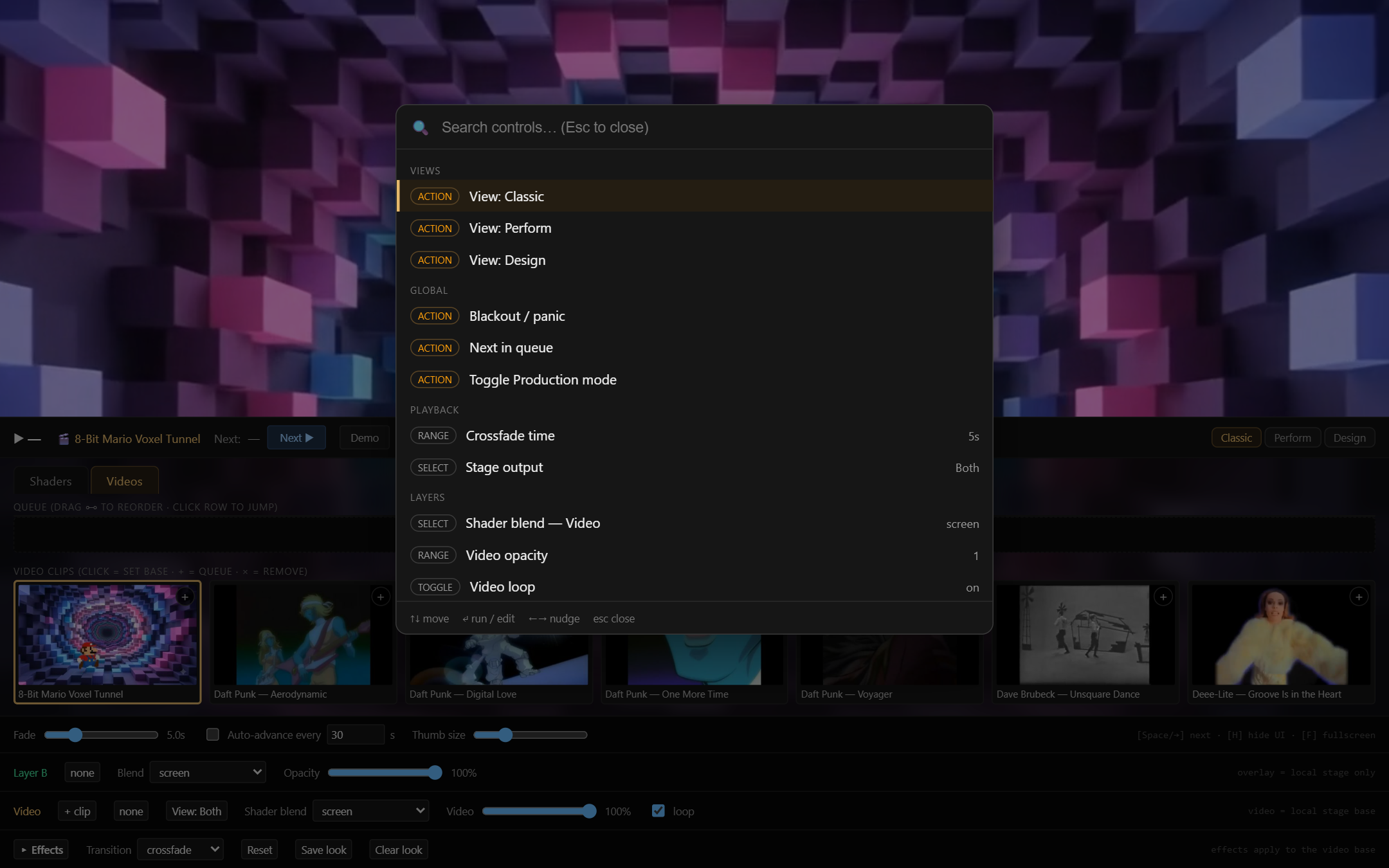
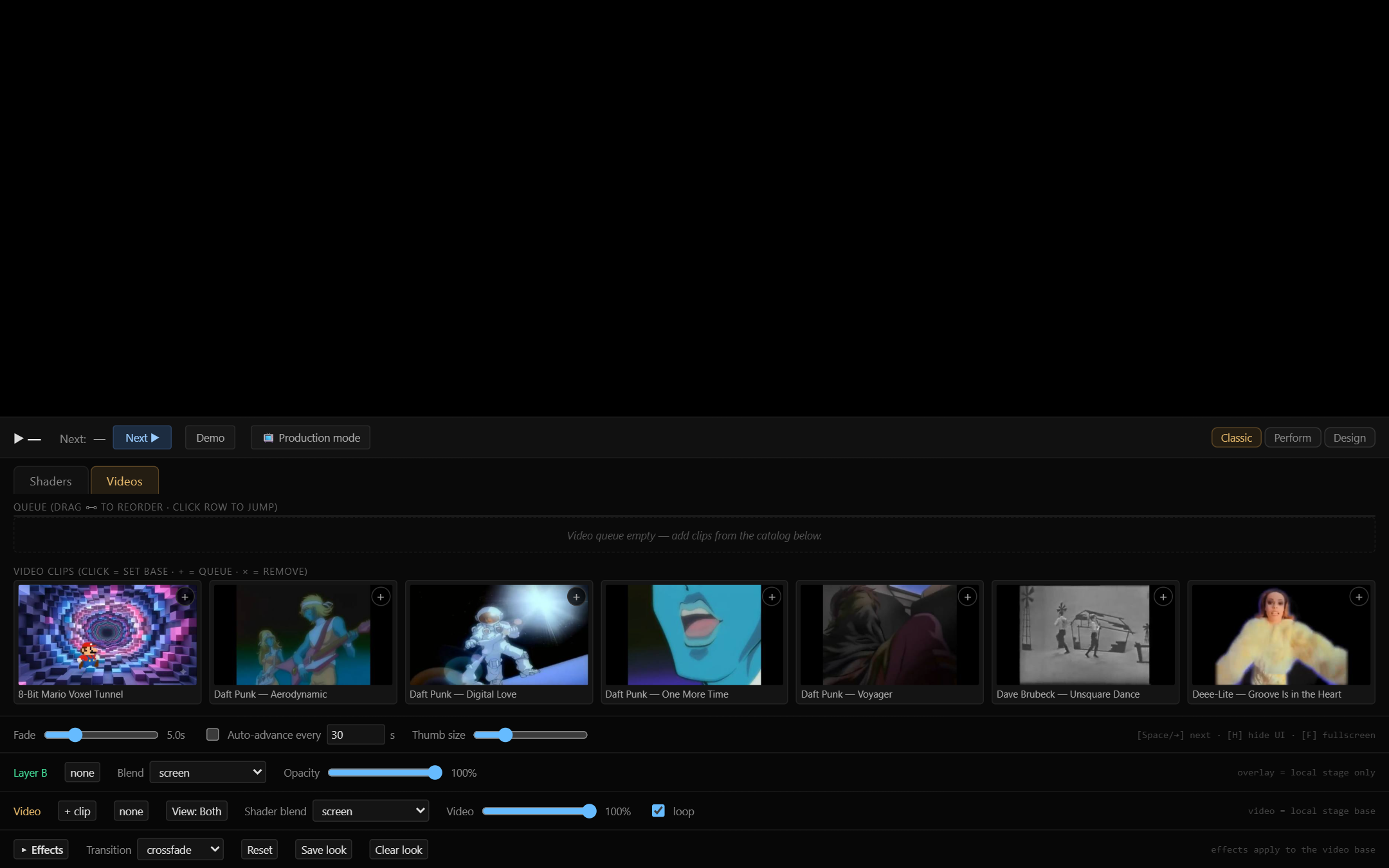
It's built as a performance instrument, not a render tool: everything is hands-on and live. Multiple view modes let you flip between a dense control surface for setup and a clean output for the show, with a command palette to reach anything instantly. Under the hood it's two stacked WebGL2 contexts — a base layer and an overlay — blended together, so you can layer a shader over video, or a shader over a shader, and mix them on the fly.
Spectral-flux beat detection
Web Audio analysis tracks onset energy frame-by-frame, so visuals hit on the beat instead of drifting.
Shaders + video
A large shader library plus a video base layer, all blendable in real time.
Two WebGL2 layers
A base context and an overlay context composited together for true layer mixing.
Performance UX
Command palette, classic / design / perform view modes, OBS output, and a one-key recorder for instant capture.
Before you buy
One licence per person, not per machine
Install it on every computer you use, forever. Commercial use is included — gigs, streams, installations, client work. Your key is verified offline; the app has no account and, once you hold a key, no phone-home — it works with no internet connection. Starting the free trial is the one step that contacts us.
30-day refund, no questions asked
Processed via Lemon Squeezy. That includes the case where Windows Smart App Control won't let the unsigned installer run.
Windows 10/11, 64-bit
Any GPU from the last ~8 years (WebGL2), ~450 MB disk.
The installer isn't code-signed yet
The first run may show "Windows protected your PC" — click More info → Run anyway.
Read the full licence agreement before you buy. You'll also see it, with an Accept button, when you run the installer.
Built by someone who VJs with it
My Lil VJ came out of the same practice as everything else A_Development builds — shaders, flow fields, audio-reactive systems, hardware instruments. The library comes from the algo-art cockpit, which is free.